

Imagine your business in Nepal earns NPR.10 crore ($1million) a year, and then one day, all your vital data is wiped out by a hacker, system failure, or simple mistake.
This could bring your business to a standstill, causing serious financial and reputational damage.
Just like life insurance protects your loved ones, DataHub Nepal Backup Services protect your business data.
Our service provides Automatic, secure backups that ensure your data is always safe and easily recoverable.
With advanced security features, our backup solutions shield you from cyber threats, and in the event of data loss, our fast disaster recovery process minimizes downtime.
Plus, our 24/7 support team is always ready to assist.
Safeguard your business with DataHub Nepal Cloud backup it’s as important as life insurance for your data.
This blog presents 10 data backup strategies. It also shares best practices to keep your data safe in 2025.
What is a Data Backup Strategy?
A data backup strategy includes all aspects of data management at your institution, which includes:
- data storage methods
- locations
- Costs
- recommended frequency of backups
It defines employee training, roles, and responsibilities. Usually, it also lists top vendors, products, and market trends.
A backup and recovery plan should begin with a risk assessment and a business impact analysis.
The risk assessment looks at those factors that may affect the business operation of an organization.
They are quite vital for disaster recovery plans, it showed how often and what to back up.
Why Data Backup Strategy is Important?
You heard the saying “Prevention is better than cure” fits data backups well. All businesses, large and small, collect data.
This includes customer info, financial records, and intellectual property. Losing data can harm a company’s reputation, cause financial loss, and lead to legal issues.
Data backups are key for staying in business. They provide a safety net. Backups allow recovery from hardware failures, natural disasters, cyberattacks, and human errors.
10 Data Backup Strategies: You Must Know in 2025
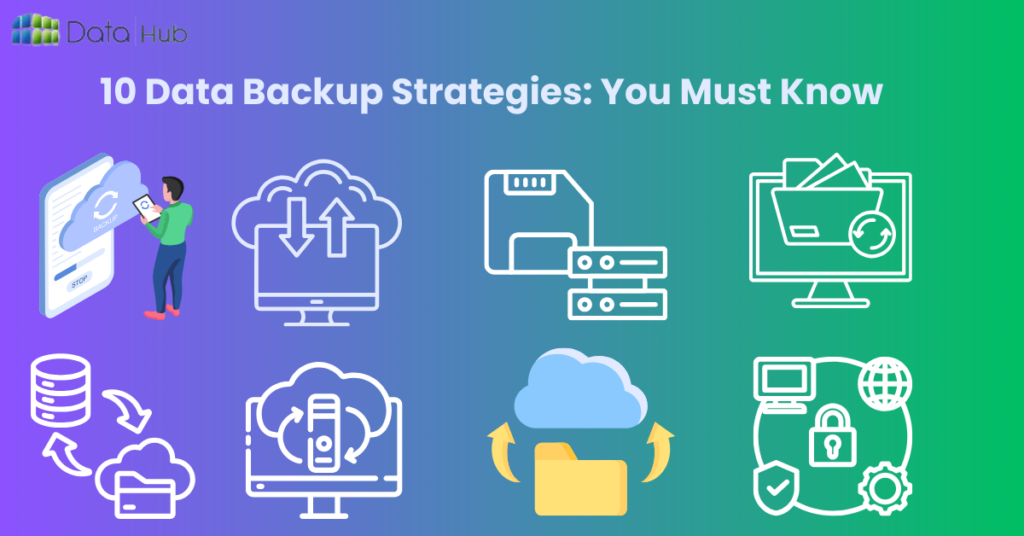
We have discussed the importance of data backup and methods to do it. Now, let’s dive into 10 data backup strategies.
Understanding these will help you choose the best ones for your organization.
1. Remote Backup:
Remote backup stores your data safely offsite, separate from your main systems.
This guarantees access to vital information even if local data is lost due to hardware failure, disasters, or cyberattacks.
These backups run automatically on a set schedule, eliminating the need for manual saving. They provide extra protection, ensuring your data remains safe and recoverable.
2. Full Backups on a Regular Basis:
A full backup is a regular backup of all the data in one complete backup operation.
This can be used as a strategy for fast and simple restoration of data since it has all the data in one backup set.
However, it can be resource-intensive with high requirements for storage and long periods for backup.
3. Incremental Backups:
Incremental backups save only changes since the last backup. This method cuts backup time and storage needs.
However, restoring data requires applying each incremental backup in order.
4. Differential Backups:
Differential backups save all changes since the last full backup, ignoring any incremental ones. Restoring is easier too; just need the last full and the latest differential backup.
5. Mirror Backup:
Mirror backups copy data to another device. This enables quick access and easy recovery. However, it requires storage equal to the original data.
6. Local Backup:
Local backups store data on-site in an organization’s devices. This method allows for quick backups and restores, making it ideal for small datasets.
However, it also exposes data to physical risks.
7. Cloud Backup:
Cloud service providers leverage remote servers to securely store data. The strategy has scalability, low cost, and data redundancy.
But recovery times depend on the available bandwidth.
8. Hybrid Backup:
Hybrid backup solutions allow local and remote backup. They marry onsite speed with offsite security.
This strategy enables fast recovery from local backups and protects against disaster/catastrophe.
9. Continuous Data Protection:
Continuous Data Protection saves data changes instantly or with slight delay. This enables quick restoration to earlier versions.
However, it requires significant storage and computing power.
10. Snapshot Backup:
Snapshot backups save data at a specific time, creating a recovery point. They allow quick recovery and use little extra storage.
However, they might extend backup times. Careful management is needed to ensure enough storage.
Explore the notable pathways to protect the datas with data backup services
Best Practices for Data Backup
1. Regularly Test Your Backups:
By regularly testing your backups, you can be certain that, in case you need to restore them, you will be able to.
2. Automate Backup Processes:
Automating backups reduces the possibility of human errors. Besides, an automated backup system means the work is done without manual intervention.
3. Use Encryption:
Encrypt your data both at rest and in transit to protect it from unauthorized access.
Apply the rule of 3-2-1 Backup
The 3-2-1 rule is one of the most timeless strategies for making a backup.
- Keep at least 3 copies of your data.
- Make 2 backup copies on different storage media.
- Keep 1 copy offsite
This will give the strategy redundancy to keep running in case there are hardware failures, cyberattacks, or natural disasters.
4. Document Your Backup Plan:
Keep a record of all your backup procedures and schedule so that in case of any eventuality or requirement, any person can follow the steps.
Benefits of Implementing Advanced Data Backup Strategies
Using these strategies, you can easily recover data and boost digital asset security. This approach combines two improvements.
It proactively protects data from threats while ensuring its safety and availability.
Adding data recovery features makes the system quick to recover from data loss due to hardware failures or cyberattacks.
These strategies ensure a fast and effective recovery. They also reduce downtime, maintain operations, and prevent losses from unavailable data.
Why Should You Choose DataHub Nepal as Your Partner Company?
DataHub Nepal is a trusted partner to the top brands of Nepal. We will help power their innovation and success in the cloud.
This is the country’s first private sector world class standard data center. We cater to banks, enterprises, ICT firms, INGOs, NGOs, and corporations.
Join us for a more efficient future. Our team comes with the skills and gives cost-effective, customized solutions with strong security through encryption and audits.
24/7 support for instant solutions. Our solutions are designed with respect to the growth of your business.
Customer satisfaction is our prime motto, and we provide customized services and recovery plans.
Hundreds of clients have their trust in us. We back up your data and are dedicated to your success.
Conclusion
Backing up data is crucial to avoid loss and keep your business running. Follow these 10 strategies to protect your data and ensure easy access.
This will make your business more resilient in 2025. Acting now prevents future problems and keeps your data safe and ready.